Introduction
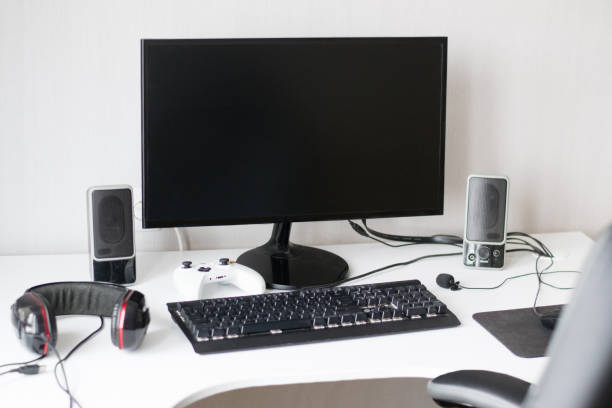
Building a comfortable PC gaming setup does not require an expensive gaming desk, premium chair, RGB lighting, or the latest accessories. With a little planning, you can create a setup that feels good to use, keeps your gaming area organized, and helps you enjoy your favorite games without spending more than necessary. The key is to spend money on the things that improve your everyday experience. A stable desk, a comfortable seating position, a reliable mouse, and a properly positioned monitor can make a bigger difference than decorative accessories. You can also reuse equipment you already own and upgrade individual parts as your budget allows. Whether you play competitive shooters, racing games, strategy titles, or single-player adventures, this guide explains how to build a comfortable PC gaming setup on a small budget. You will learn what to buy first, where to save money, how to arrange your equipment, and which upgrades can wait until later.
Set a Realistic Budget Before Buying Anything
Before shopping for gaming accessories, decide how much you can comfortably spend. A limited budget is easier to manage when you separate essential equipment from optional upgrades.
If you already own a working PC, monitor, keyboard, and mouse, you may only need to improve your seating, desk arrangement, or audio. Buying a complete collection of new accessories could waste money on equipment that does not solve an actual problem.
Start by checking what you have. Test your existing peripherals, inspect your desk, and consider whether your current setup causes discomfort during longer sessions.
For example, a gamer who already has a decent monitor may benefit more from a stable desk and a suitable chair than from purchasing another display. Someone who plays competitive games may prefer to replace an unreliable mouse before spending money on lighting. A practical budget should cover essential needs first and leave room for upgrades later.
Choose a Desk That Fits Your Room
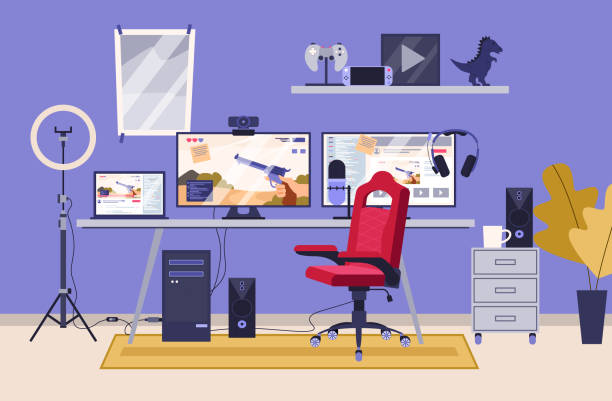
A gaming desk does not need to be specially designed for gaming. A sturdy office desk, a simple computer table, or a secondhand desk can work well if it has enough space for your monitor, keyboard, mouse, and other essential equipment.
The most important factors are stability, usable surface area, and a suitable height. A desk that shakes when you move your mouse can be distracting, while a surface that is too small may force you into an uncomfortable position.
Before buying a desk, measure the space available in your room. Consider the monitor’s footprint, the amount of mouse movement you need, and whether your keyboard will sit comfortably in front of the screen.
| Desk option | Main advantage | Potential drawback | Best for |
| Existing household desk | No additional cost | May need rearranging | Gamers working with a very limited budget |
| Basic office desk | Practical and often affordable | Design may be simple | Everyday use and gaming |
| Secondhand desk | Can offer more space for less money | Condition and stability vary | Budget-conscious buyers |
| Dedicated gaming desk | May include cable management or useful features | Decorative extras can increase the price | Gamers who need specific features |
Do not pay extra for a gaming label alone. A basic desk with enough space and a solid frame can be just as useful as a more expensive model.
Find a Comfortable Chair Without Overspending
A comfortable seating position matters when you spend long periods at your PC. However, you do not need an expensive racing-style gaming chair to create a good setup. A basic office chair with suitable back support, a stable base, and an appropriate seat height can be a sensible choice. If you already own a comfortable chair, try adjusting its position before deciding to replace it.
Ideally, your feet should rest flat on the floor or on a stable footrest. Your shoulders should remain relaxed, and your elbows should sit comfortably near your sides when using the keyboard and mouse. Avoid leaning forward for long periods to reach the screen.
When buying a used chair, inspect it carefully. Check the frame, wheels, height adjustment, backrest, and seat padding. A cheap chair that cannot maintain its height or support your body properly may become frustrating to use. Here are two useful ways to improve seating comfort on a small budget:
- Adjust what you already own: Change the chair height, move it closer to the desk, and use a small cushion only if it improves your comfort without pushing you into an awkward position.
- Prioritize function over appearance: Look for stable construction, usable adjustments, and suitable back support instead of paying extra for aggressive styling, logos, or decorative stitching.
Comfort is personal, so try a chair when possible. If you experience persistent pain or numbness while sitting, change your position and seek appropriate professional advice rather than relying on a new chair alone.
Position Your Monitor for Better Comfort
Your monitor is one of the most important parts of your gaming setup because you look at it throughout every session. Fortunately, improving its position often costs little or nothing.
Start by placing the screen directly in front of you rather than forcing your neck to turn toward one side. Position it at a comfortable distance so you can read text and see game details without leaning forward.
A useful starting point is to place the top of the screen around eye level or slightly below, then adjust it to suit your posture and the monitor’s size. The center of the display should generally be below your natural forward gaze, especially when using a large monitor.
If your monitor sits too low, a stable stack of books or a suitable monitor riser may help raise it. Make sure the support is level, strong enough for the monitor, and not likely to slide. Never balance a heavy display on an unstable pile of objects.
| Monitor issue | Low-cost adjustment | Expected benefit |
| Screen is too low | Use a stable monitor riser | Helps improve viewing posture |
| Screen is off-center | Move it directly in front of your seating position | Reduces the need to turn your neck |
| Screen appears too bright at night | Adjust brightness and use suitable room lighting | May make viewing more comfortable |
| Text is difficult to read | Adjust Windows scaling or in-game interface size | Improves readability |
| Reflections distract you | Change the screen angle or room lighting | Reduces distracting glare |
Also check your monitor’s refresh-rate setting in Windows. If you own a high-refresh-rate monitor, selecting a supported refresh rate can make compatible games and desktop movement feel smoother. A new monitor is not necessary if your current one already meets your needs.
Spend Wisely on a Keyboard and Mouse
Your keyboard and mouse affect nearly every interaction with a PC game. They deserve attention, but a high price does not automatically mean a better experience. For most budget gamers, a reliable wired keyboard and mouse are sensible starting points. Wired models do not need battery charging, and they can often deliver dependable performance without the extra cost of wireless features.
For the keyboard, look for comfortable key spacing, reliable keys, and a layout that suits the games you play. Mechanical keyboards can offer different switch options and a particular typing feel, but a basic membrane keyboard can still work perfectly well. For the mouse, focus on a comfortable shape, dependable sensor performance, and buttons that work consistently. If you play competitive games, a mouse that fits your hand and allows controlled movement may be more useful than one with dozens of extra buttons.
Before upgrading, clean your existing peripherals and check whether they actually cause problems. A mouse with a dirty sensor or a keyboard with stuck keys may need maintenance rather than replacement.
Improve Your Gaming Audio on a Budget
Good audio can help you enjoy games, hear dialogue clearly, and notice important sounds. You do not need a premium gaming headset to get started. If you already own ordinary headphones or earbuds with acceptable sound quality, test them before buying something new. Many everyday headphones work well for casual gaming, single-player adventures, and voice chat.
A basic headset with a microphone may be useful if you frequently play multiplayer games with friends. Before purchasing one, check microphone clarity, comfort, cable length, and compatibility with your PC.
Consider these budget-friendly options:
- Use existing headphones: Reuse a pair that provides clear sound and fits comfortably.
- Choose a basic wired headset: This can combine headphones and a microphone in one affordable device.
- Adjust Windows audio settings: Select the correct output device and set a comfortable volume before buying new equipment.
- Improve microphone placement: Keep the microphone close enough for clear speech without positioning it directly in front of your breath.
- Reduce unnecessary background noise: Turn off noisy devices nearby when possible and avoid setting microphone sensitivity too high.
Remember that virtual surround sound and other software enhancements are optional. Start with clear audio and reliable communication before paying for additional effects.
Organize Cables and Improve Desk Space
Cable management may seem like a cosmetic detail, but it can make a small gaming area easier to use. Loose cables can catch on your chair, interfere with mouse movement, collect dust, and make cleaning more difficult. You do not need an expensive cable-management kit. Reusable cable ties, simple clips, and careful placement can help organize most desk setups.
Keep the mouse cable, if you use one, positioned so it does not drag against the desk edge or catch on nearby objects. Arrange keyboard, monitor, and headset cables along the desk’s rear edge where practical.
Place your PC somewhere with enough room for ventilation. Avoid pushing it tightly against a wall or blocking its air intake and exhaust vents. If the case sits on the floor, keep it away from thick carpet and areas where dust accumulates quickly.
For a cleaner setup, follow these steps:
- Unplug equipment before rearranging its cables.
- Identify which cables connect to each device.
- Group related cables without pulling them tightly.
- Use reusable ties or clips to keep them out of the way.
- Leave enough slack to move equipment safely when needed.
- Check that no cable blocks a fan, vent, or power connection.
Do not bundle cables so tightly that they bend sharply, and avoid placing electrical connections where drinks could spill onto them. Keep power strips accessible and use properly rated electrical equipment.
Make Your Gaming Space More Comfortable
A comfortable gaming setup involves more than the equipment on your desk. Lighting, room temperature, noise, and the amount of space around your chair can all affect your experience.
If your room is dark, consider adding a basic desk lamp or using existing room lighting. Avoid placing a bright light directly behind your monitor if it creates distracting reflections. You do not need RGB strips or decorative lighting to make a space practical.
Keep drinks away from your keyboard and PC, especially if your desk is small. Leave enough room to move your arms freely, and make sure your chair can move without catching on cables or furniture.
Room temperature also matters. A warm room can make a gaming PC’s cooling system work harder, so keep the computer’s vents clear and avoid placing it beside a heat source. If your PC becomes unusually hot, check its temperatures and airflow rather than assuming decorative accessories will solve the issue.
Take regular breaks during long gaming sessions. Stand up, stretch, look away from the screen periodically, and change your position when you start feeling uncomfortable. These habits cost nothing and can make a gaming space easier to use over time.
Which Gaming Setup Upgrades Should You Buy First?
Once your basic setup is comfortable and functional, you can decide which upgrades will provide the most value. The right order depends on what you already own and which problems you want to solve.
For example, someone with an uncomfortable chair should not necessarily buy a new keyboard first. A player whose mouse frequently disconnects may benefit more from replacing it than from adding decorative lighting.
Use this priority list to guide your spending:
| Priority | Upgrade | Why it may be worthwhile |
| 1 | Fix an unstable desk or uncomfortable seating | Improves basic comfort and usability |
| 2 | Replace faulty keyboard or mouse | Resolves everyday control problems |
| 3 | Improve monitor positioning and lighting | Makes the setup more practical |
| 4 | Add suitable headphones or a headset | Improves audio and communication |
| 5 | Improve cable management | Frees desk space and simplifies cleaning |
| 6 | Consider a monitor or peripheral upgrade | Useful when the current equipment limits your needs |
| 7 | Add decorative lighting and accessories | Optional and mostly a matter of preference |
Before buying anything, compare the total cost with the benefit you expect to receive. Check warranties, return policies, compatibility, and the condition of used products. A slightly more expensive item that lasts longer may offer better value than the cheapest option available. Avoid borrowing money for decorative gaming accessories or replacing functional equipment just because a setup looks impressive in photos. A practical gaming space can be built gradually, one useful improvement at a time.
Conclusion
Building a comfortable PC gaming setup on a small budget is mainly about making sensible choices. You can start with an ordinary desk, a suitable chair, a well-positioned monitor, and a reliable keyboard and mouse without buying expensive gaming-branded equipment. Focus first on comfort, stability, and functionality. Reuse what you already own, organize cables, keep the PC’s cooling vents clear, and improve your room’s lighting where necessary. Replace equipment only when it no longer meets your needs. You can add better audio, a higher-refresh-rate monitor, or other accessories later as your budget allows. The goal is not to build the most expensive gaming station. It is to create a space where you can play comfortably, keep your equipment organized, and enjoy your games without unnecessary spending.