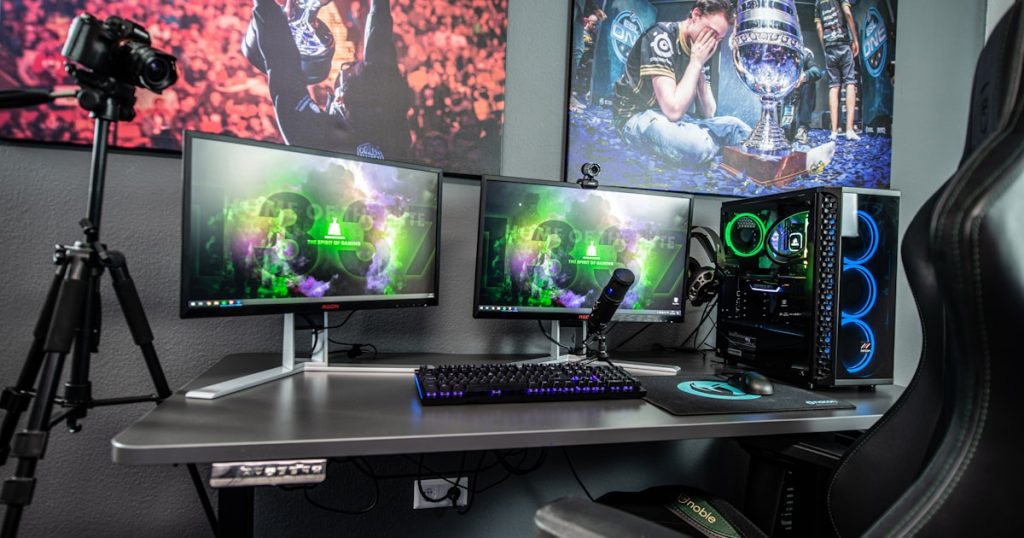
I spent way too long gaming in a terrible office chair before I finally invested in something decent. My back was killing me after long sessions and I figured a proper gaming chair might help. After buying three different chairs over two years – including one expensive mistake – I have some strong opinions on what is actually worth your money.
Why Your Gaming Chair Matters More Than You Think
If you spend several hours a day gaming, your chair is arguably the most important piece of equipment in your setup. A poor chair can lead to back pain, neck strain, poor posture, and long-term health issues that no amount of gaming gear can compensate for. Investing in a quality gaming chair or ergonomic office chair is an investment in your health and comfort that pays dividends every single day.
The gaming chair market has exploded in recent years, with options ranging from budget-friendly models under one hundred dollars to premium chairs costing over a thousand. The sheer number of choices can be overwhelming, but understanding the key features and specifications will help you find the perfect chair for your body type, gaming habits, and budget.
Gaming Chairs vs Ergonomic Office Chairs: Which Should You Choose
The first decision many gamers face is whether to buy a dedicated gaming chair or an ergonomic office chair. Gaming chairs typically feature a racing-inspired bucket seat design with bold colors, prominent branding, and aggressive styling. They often include features like adjustable armrests, reclining backrests, removable lumbar and neck pillows, and a high backrest that supports the entire spine.
Ergonomic office chairs take a different approach, prioritizing adjustability and long-term comfort over aesthetics. Brands like Herman Miller, Steelcase, and Secretlab have developed chairs with mesh backs for breathability, multiple adjustment points for personalized positioning, and designs based on decades of ergonomic research. Many professional esports teams actually use ergonomic office chairs rather than gaming chairs because they provide superior support during extended practice sessions.
The honest truth is that both categories contain excellent and poor options. A good gaming chair from Secretlab or noblechairs will outperform a cheap office chair, and a quality Herman Miller will outperform a budget gaming chair. Focus on the specific chair rather than the category.
Essential Features to Look For
Lumbar support is the single most important feature in any chair intended for long gaming sessions. Your lower back naturally curves inward, and sitting without proper lumbar support causes your spine to flatten, leading to pain and long-term damage. Look for chairs with adjustable lumbar support, either through a movable pillow, a built-in mechanism, or an adjustable backrest that matches your spine’s natural curve.
Adjustable armrests significantly impact comfort during gaming. Basic chairs offer only height adjustment, but better models provide what is called 4D armrests that adjust in height, width, depth, and angle. Properly positioned armrests reduce strain on your shoulders and wrists by supporting your arms at the correct height while gaming with a mouse and keyboard or controller.
Seat height adjustment is essential and should accommodate your desk height so that your feet rest flat on the floor with your thighs parallel to the ground. The seat pan depth should leave about two to three finger widths of space between the seat edge and the back of your knees. Some chairs offer seat depth adjustment to accommodate different leg lengths.
Reclining capability allows you to lean back during loading screens, cutscenes, or relaxation breaks. Most gaming chairs recline between 90 and 180 degrees, though you rarely need more than 135 degrees. A locking mechanism at your preferred angle is more useful than a full range of motion with no locking points.
Understanding Chair Materials and Build Quality
The upholstery material affects both comfort and durability. PU leather is the most common material in gaming chairs, offering a sleek appearance that’s easy to clean but can get hot and sticky during long sessions in warm environments. Higher quality PU leather is softer and more breathable, while budget versions may crack and peel within a year or two.
Fabric upholstery provides better breathability and temperature regulation than PU leather. It’s generally more comfortable in warm climates and doesn’t develop the sticky feeling that leather chairs can. However, fabric is harder to clean if you spill food or drinks and may stain more easily. Some premium chairs use specialty fabrics that are both breathable and stain-resistant.
Mesh chairs provide the ultimate breathability, with woven material that allows air to flow freely through the seat and backrest. High-quality mesh chairs like the Herman Miller Aeron mold to your body shape and remain comfortable year-round. However, mesh chairs at lower price points may not provide enough cushioning for extended gaming sessions.
The chair base and gas lift cylinder determine the chair’s stability and weight capacity. Look for chairs with a steel frame, a five-star base made from aluminum or reinforced nylon, and a class 3 or class 4 gas lift cylinder. Budget chairs often use cheaper components that may fail prematurely, potentially causing safety hazards.
Top Gaming Chair Recommendations by Budget
In the budget range under two hundred dollars, the GTRacing Pro Series and Homall Gaming Chair offer decent features and comfort for casual Folks who don’t spend more than a few hours daily in their chair. These chairs provide basic adjustability and acceptable build quality at an affordable price point.
The mid-range category between two hundred and five hundred dollars is where you find the best value. The Secretlab Titan series is widely considered the gold standard in this range, offering excellent build quality, premium materials, and comprehensive adjustability. The Razer Iskur provides excellent lumbar support with its built-in lumbar curve system. The noblechairs Hero offers a wider seat and premium PU leather construction.
Premium chairs above five hundred dollars include the Herman Miller x Logitech Embody, which combines Herman Miller’s legendary ergonomic design with gaming-specific modifications. The Steelcase Leap is another excellent option with its LiveBack technology that mimics the natural movement of your spine. These chairs are significant investments but can last over a decade with proper care.
Setting Up Your Chair Properly
Even the best chair will cause discomfort if not adjusted correctly. Set the seat height so your feet rest flat on the floor and your thighs are parallel to the ground. Adjust the lumbar support to fill the natural curve of your lower back. Position the armrests so your elbows rest at about 90 degrees while your shoulders remain relaxed and not hunched up.
The backrest angle should support an upright posture with a slight recline of about 100 to 110 degrees for prolonged gaming. Sitting perfectly straight at 90 degrees actually puts more pressure on your spinal discs than a slight recline. If your chair has a headrest, adjust it to support the natural curve of your neck without pushing your head forward.
Maintaining Your Gaming Chair for Longevity
Regular maintenance extends the life of your gaming chair significantly. Clean PU leather surfaces with a damp cloth and mild soap monthly to prevent dirt buildup that accelerates cracking. Tighten all screws and bolts every few months, as vibrations from movement can loosen connections over time. Lubricate the gas cylinder and recline mechanism annually with a silicone-based lubricant to maintain smooth operation.
Keep your chair out of direct sunlight, which can fade colors and degrade PU leather. If your chair has removable pillows, wash their covers periodically. For fabric chairs, vacuum the upholstery regularly and treat stains promptly before they set. Proper care can double or triple the usable lifespan of your gaming chair, making even premium buys more economical over time.