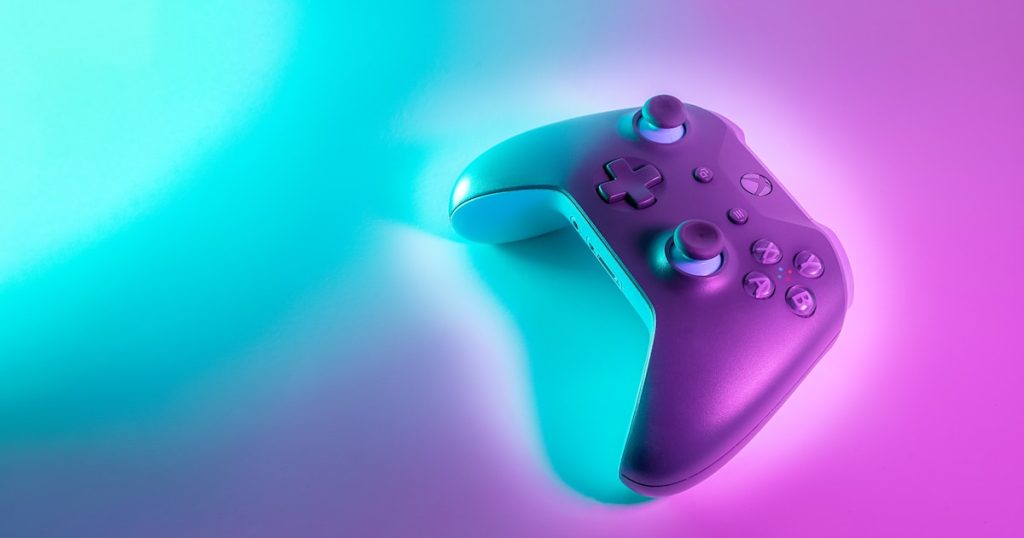
Why Digital Game Gifting Has Become the Perfect Present
Gone are the days when gifting a game meant buying a physical disc and wrapping it up. Digital game gifting has revolutionized how gamers share their favorite experiences with friends and family. Whether it is a birthday, holiday, or simply wanting to share an amazing game with someone special, digital gifting is instant, convenient, and ensures the recipient gets exactly what they want without worrying about compatibility or shipping.
Digital game gifting has become especially popular because of the sheer convenience it offers. You can purchase a game for someone on the other side of the world and have it delivered to them instantly. There are no shipping costs, no worries about damaged packages, and no awkward situations where you buy the wrong edition or platform version. Understanding how gifting works on each major platform helps you make the best choice for every occasion.
Gifting Games on Steam
Steam offers one of the most straightforward gifting systems in PC gaming. To gift a game on Steam, simply add the desired game to your cart, and during checkout, select the option to purchase as a gift. You can then choose a friend from your Steam friends list or enter their email address directly. The recipient will receive an email notification and can accept the gift through their Steam client.
Steam also allows you to schedule gift deliveries for specific dates, making it perfect for birthday or holiday surprises. If the recipient already owns the game, Steam will notify you before completing the purchase, preventing duplicate gifts. You can also purchase Steam gift cards in various denominations, giving the recipient the freedom to choose their own games during sales events.
One important consideration when gifting on Steam is regional pricing. Games purchased in one region may not be redeemable in another if there is a significant price difference. Always verify that the gift can be redeemed in the recipient’s country before purchasing. Steam digital wallet codes are a safe alternative that works globally and lets the recipient buy whatever they prefer.
Gifting on PlayStation Store
Sony’s PlayStation Store has improved its gifting options significantly. While the platform previously lacked direct game gifting, you can now purchase digital gift cards for the PlayStation Store in various amounts. These gift cards can be delivered digitally via email, making them perfect for last-minute presents. PlayStation Store gift cards work for games, DLC, subscriptions, and in-game currency.
Another popular gifting option for PlayStation users is purchasing a PlayStation Plus subscription as a gift. PlayStation Plus provides access to online multiplayer, monthly free games, cloud storage, and an extensive game catalog depending on the tier chosen. For someone who just got a new PlayStation console, a PS Plus subscription is one of the most valuable gifts you can give.
To use PlayStation gift cards, the recipient simply logs into their PlayStation account through their console or a web browser, navigates to the store, and enters the digital code. The funds are immediately added to their wallet and can be spent on any content available in their regional store.
Gifting on Xbox and Microsoft Store
Microsoft has made game gifting a seamless experience across Xbox consoles and PC through the Microsoft Store. You can gift games directly from the Microsoft Store on Xbox or through the web browser. Simply find the game you want to gift, select the gift option, and provide the recipient’s email address. They will receive an email with a code to redeem the game.
Xbox gift cards provide maximum flexibility, allowing recipients to spend the balance on games, movies, apps, and subscriptions from the Microsoft Store. Xbox Game Pass gift subscriptions are another excellent option, giving the recipient access to hundreds of games across console, PC, and cloud gaming for a set period.
Family sharing features on Xbox also allow you to share your digital game library with designated family members, effectively gifting access to your entire collection without needing to purchase separate copies. This is particularly useful for households with multiple Xbox consoles or gamers sharing a single console.
Gifting on Nintendo eShop
Nintendo’s eShop has a more limited gifting system compared to other platforms, but there are still effective ways to give Nintendo games as gifts. Nintendo eShop gift cards are the most reliable method, available in physical and digital formats at various denominations. These cards can be redeemed on Nintendo Switch and used to purchase any game or DLC on the eShop.
For children and younger gamers, Nintendo Switch Online family memberships allow you to add up to eight Nintendo Accounts to a single subscription, providing online play, classic game libraries, and cloud saves for the entire group. This makes an excellent holiday gift for families with multiple Nintendo Switch owners.
Some games on the Nintendo eShop also offer download codes that can be purchased from retailers and gifted directly. This is particularly useful during sales events when retailers offer digital codes at discounted prices that may not match the eShop’s own sales.
Using digital game purchases as Gifts
Digital game deal stores offer one of the most flexible and affordable ways to gift games across all platforms. You can purchase activation codes for Steam, PlayStation, Xbox, Nintendo, and other platforms from authorized retailers. These keys can be delivered via email instantly, making them perfect for time-sensitive gifting situations.
The advantages of using digital game retailers for gifting are significant. Prices are often lower than official storefronts, especially for older titles or during sales events. You can compare prices across multiple retailers to find the best deal. Many game retailers also offer gift wrapping options with personalized messages and scheduled delivery times for special occasions.
When purchasing digital game purchases as gifts, always verify the platform compatibility and regional restrictions. Ensure the key matches the recipient’s gaming platform and region. Reputable game retailers clearly label this information on their product pages and offer customer support if any issues arise during redemption.
Creative Game Gifting Ideas
Beyond simply buying a game, consider creative approaches to game gifting. Create a gaming care package by bundling a game deal with a relevant gaming accessory like a controller skin, gaming snacks, or a printed game guide. For multiplayer games, purchase copies for your entire friend group so everyone can play together on launch day.
Gift subscriptions like Xbox Game Pass, PlayStation Plus, or EA Play provide months of gaming content rather than a single title. These are especially thoughtful for gamers who enjoy variety or are unsure what specific game they want next. Subscription gifts also introduce recipients to games they might never have tried otherwise.
For long-distance friends, plan a virtual gaming session to accompany the gift. Purchase a cooperative or multiplayer game for both yourself and your friend, coordinate schedules, and surprise them with a game night invitation alongside their digital game gift. This transforms a simple gift into a shared experience and cherished memory.
Tax Considerations and Purchase Protections
When purchasing digital game gifts, keep the receipt and confirmation email as proof of purchase. Most platforms offer refund policies for unopened or unredeemed gifts, though policies vary by platform and region. Familiarize yourself with each platform’s refund policy before purchasing, especially for more expensive titles or bundles.
Digital game gifts purchased through authorized retailers typically come with the same warranty and support as games bought directly from the platform. If a key does not work or has already been redeemed, reputable retailers will provide a replacement or refund. Always purchase from established and reviewed retailers to ensure a smooth gifting experience.