Why Your Internet Connection Makes or Breaks Online Gaming
In online gaming, the quality of your internet connection directly affects your experience. Lag, rubber-banding, disconnections, and high ping can transform an enjoyable gaming session into a frustrating ordeal. Understanding how internet connections work and how to optimize yours for gaming is essential knowledge for any online gamer in 2026.
Many gamers mistakenly focus solely on download speed when evaluating their internet connection, but gaming actually uses very little bandwidth compared to streaming video or downloading files. The factors that truly matter for gaming are latency, also known as ping, packet loss, and connection stability. A gamer with a consistent 50 Mbps connection and 20 millisecond ping will have a far better experience than someone with a 500 Mbps connection plagued by 150 millisecond ping spikes.
Understanding Ping, Latency, and Why They Matter
Ping measures the round-trip time for data to travel from your device to the game server and back, expressed in milliseconds. Lower ping means faster communication between your machine and the server, resulting in more responsive gameplay. For competitive gaming, ping under 30 milliseconds is ideal, under 50 is good, under 100 is acceptable for casual play, and anything above 150 will noticeably impact your experience.
Latency is influenced by several factors beyond your control, including your physical distance from the game server, the quality of your internet service provider’s routing infrastructure, and network congestion during peak hours. However, many latency issues originate within your own home network and can be addressed with the right adjustments.
Packet loss occurs when data packets traveling between your device and the server fail to arrive at their destination. Even 1 to 2 percent packet loss can cause noticeable hitching and rubber-banding in games. Packet loss is often caused by Wi-Fi interference, faulty hardware, or ISP issues. Running a packet loss test using tools like PingPlotter or WinMTR can help identify where packets are being dropped along the route to your game server.
Wired vs Wireless: Why Ethernet Wins for Gaming
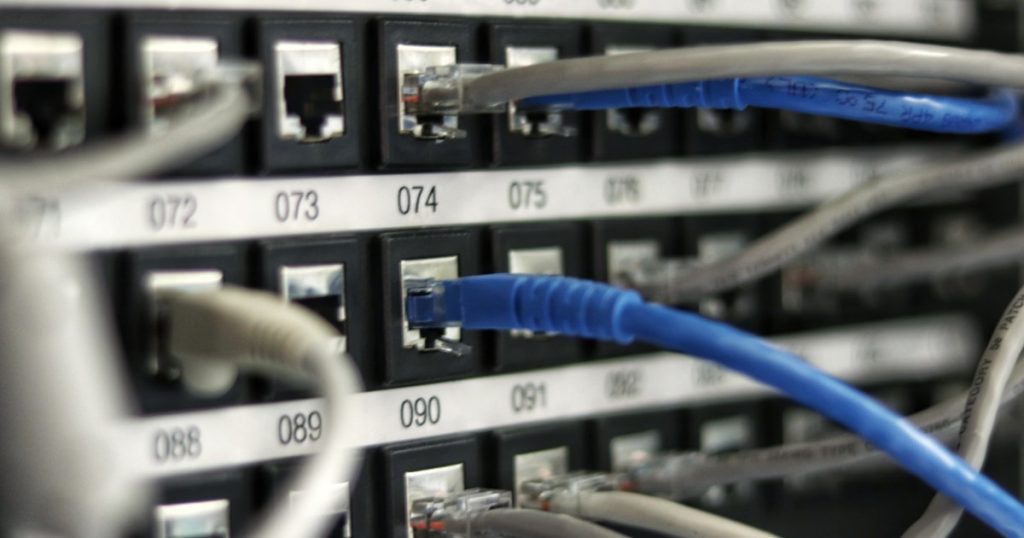
The single most impactful improvement you can make to your gaming connection is switching from Wi-Fi to a wired Ethernet connection. Wi-Fi introduces several issues that negatively affect gaming: higher latency compared to Ethernet, latency spikes from interference, shared bandwidth with other devices, and potential packet loss from signal degradation.
A direct Ethernet connection to your router provides consistent low latency, zero interference, full bandwidth utilization, and reliable packet delivery. For most gamers, a Cat 5e or Cat 6 Ethernet cable is sufficient and inexpensive. If running a cable directly from your router to your gaming setup is impractical, consider Powerline adapters that use your home’s electrical wiring to carry Ethernet signals, or MoCA adapters that use coaxial cable infrastructure. Both provide significantly more reliable connections than Wi-Fi for gaming.
If Wi-Fi is your only option, several optimizations can improve your experience. Connect to the 5 GHz band rather than 2.4 GHz for lower latency and less interference, though 5 GHz has shorter range. Position your router with a clear line of sight to your gaming area. Upgrade to a Wi-Fi 6E or Wi-Fi 7 router for improved performance with multiple connected devices. Use Quality of Service settings on your router to prioritize gaming traffic over other devices on your network.
Router Settings and Quality of Service Configuration
Your router is the gateway between your home network and the internet, and optimizing its settings can meaningfully improve your gaming experience. Quality of Service, commonly abbreviated as QoS, is a router feature that prioritizes certain types of network traffic over others. By giving gaming traffic priority, you ensure that someone streaming video or downloading files on another device will not cause your game to lag.
Most modern routers offer QoS settings in their administration panel, typically accessible through a web browser at an address like 192.168.1.1. Look for options to prioritize by device, allowing you to give your gaming PC or console the highest priority, or by application type, where gaming traffic is automatically detected and prioritized.
Changing your DNS servers can occasionally improve connection times to game servers. While DNS does not directly affect in-game latency, it can speed up the initial connection process and improve overall browsing reliability. Popular alternatives include Google Public DNS at 8.8.8.8 and Cloudflare DNS at 1.1.1.1, both of which are free and often faster than default ISP DNS servers.
How Much Bandwidth Do You Actually Need for Gaming
Gaming itself requires surprisingly little bandwidth. Most online games use between 20 and 80 megabits per second of data, with competitive shooters on the lower end and MMORPGs with more players visible on the higher end. A 25 Mbps connection is technically sufficient for gaming alone. However, your household likely has multiple devices competing for bandwidth simultaneously.
Game downloads and updates are where bandwidth truly matters. Modern games regularly exceed 50 to 100 gigabytes in size, and patches can be several gigabytes. A faster connection significantly reduces download times, getting you into the game sooner. For households with multiple gamers or heavy streaming usage, a connection of at least 100 Mbps is recommended, with 300 Mbps or higher providing comfortable headroom.
Upload speed is often overlooked but matters for gaming, streaming your gameplay, and video calls. Most internet plans provide asymmetric speeds with much lower upload than download. If you stream on platforms like Twitch or YouTube while gaming, ensure your upload speed can handle both activities. Streaming at 1080p typically requires 6 to 8 Mbps of upload bandwidth on top of your gaming needs.
Troubleshooting Common Online Gaming Issues
If you experience sudden lag spikes at specific times of day, network congestion is likely the culprit. Contact your ISP about upgrading your plan or ask about lower-congestion routing options. Running speed tests at different times of day helps identify patterns in network performance.
Frequent disconnections often indicate a hardware issue. Check all cable connections, restart your modem and router, and verify that your network adapter drivers are up to date. If disconnections persist, try connecting through a different Ethernet port on your router or replacing your Ethernet cable. Older modems and routers may need replacement if they have been in service for more than five years.
NAT type issues affect your ability to connect with other players in peer-to-peer games. A strict or moderate NAT type can prevent you from joining certain lobbies or hosting games. Most routers support UPnP, which automatically configures port forwarding for games. If UPnP does not resolve NAT issues, manually forwarding the ports specified in your game’s documentation will typically fix the problem.
Future-Proofing Your Gaming Network
As games become more complex and cloud gaming services mature, network requirements will continue to increase. Investing in quality networking equipment now saves money and frustration in the long run. A modern Wi-Fi 6E or Wi-Fi 7 router, Cat 6 or Cat 6a Ethernet cabling, and a DOCSIS 3.1 or fiber connection provide a solid foundation for years of gaming ahead.
Consider your ISP options carefully. Fiber optic connections offer the best gaming performance with symmetrical speeds and consistently low latency. Cable internet is a solid alternative with good speeds but can suffer from congestion during peak hours. Fixed wireless and satellite connections, while improving, still generally provide higher latency that may impact competitive gaming enjoyment.